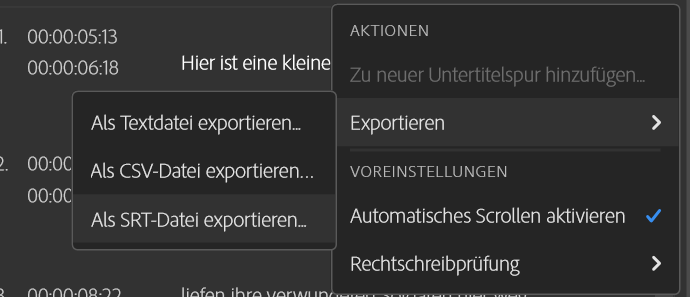
This problem was encountered by me and many people, who turned to the Adobe-Forum for a solution. For some the problem simply lay in one empty subtitle-file in the timeline. But I encountered another odditiy: Premiere Pro did not export an srt-File (for subtitles). The file was simply not created, even though the other option to export an .txt.-file worked.
The program did not even show an error message (which was most ennoying)!
So I had this problem again and realised something no one described in the trouble-shooting effort in the Adobe-Forum:
Solution: WHEN THE PREMIERES-SEQUENCE’S NAME IS TOO LONG, PREMIERE PRO DOES NOT CREATE AN SRT-FILE.
Michael Stadnik, after his personal Eureka!-moment
THE MAXIMUM OF POSSIBLE CHARACTERS SEEMS TO BE 25.
Why is this the case? I dont know, there must be some limitation, because .srt is a rather simple file.
How I realised its the file’s name length: I tried to export the subtitles in the .CSV-Format. The file was created, but when I tried to open it, which was done by Excell (Windows-PC), a message warned, the filepath would excede more then 259 characters and I should shorten the file’s name.
Even though the files name wasn’t actually 259 characters long, but 50, we can thank Excell for pointing into the right direction of the problem with the SRT-File!
The maximum characters for naming an SRT-File seems to be 25. I checked. In one case I was simply over that limit by one character, which resulted in a combined time of one hour of trying to solve the problem. After what I found this solution.
I hope this helped you. Follow my blog or my Youtube for my work. This would massivly help me as an independent filmmaker!